1. Introduction
WordPress powers millions of websites worldwide, making it one of the most popular content management systems on the internet. With this popularity, however, comes increased security risk. Hackers often target WordPress sites because vulnerabilities in themes, plugins, or outdated installations can provide easy access points. From malware injections to brute-force login attempts, even a small website can become a victim if the right precautions aren’t in place.
This is where WordPress security plugins play a critical role. These tools help protect your site by adding essential layers of defense—firewalls, malware scanners, login security, real-time monitoring, and more. Whether you’re running a simple blog, an online store, or a high-traffic business website, using a reliable security plugin can dramatically reduce your risk of being compromised.
In this guide, we’ve selected the top 5 WordPress security plugins based on key criteria:
Security features (firewall, malware scanning, brute-force protection, etc.)
Ease of use for both beginners and advanced users
Performance impact on your website
Reputation and update frequency
Pricing and value
These plugins offer powerful protection and give you peace of mind knowing your website is secure. Next, we’ll dive into each plugin in detail—starting with one of the most trusted solutions on the market.
2. Plugin #1: Wordfence Security
2.1 Overview
I’ve installed Wordfence on dozens of WordPress sites over the years, and it has consistently been the plugin I rely on when I need both clarity and control over a site’s security. One of the first things that struck me when using Wordfence was how transparent it is. The dashboard gives you a complete picture of what’s happening on your site: scans, logins, blocked attempts, file changes, and more.
Whether I’m securing a client’s e-commerce site or tightening up a personal blog, Wordfence has always felt like a dependable, well-maintained solution that doesn’t require guesswork.
2.2 Key Features Based on Real Use
Web Application Firewall (WAF)
In practice, this is the feature that has stopped most of the suspicious traffic I’ve seen. Wordfence’s firewall catches malicious requests before they hit the site, and you can literally watch it block attacks in real time. Whenever I’ve taken over a compromised site, enabling this firewall was one of the fastest ways to reduce ongoing attempts.
Malware Scanner
The scanner has been extremely useful for identifying modified files, unexpected code, and outdated plugins. I’ve had situations where clients didn’t even know their site had been tampered with until Wordfence flagged the exact files that had been altered.
Login Security and 2FA
On almost every site I manage, brute-force login attempts are constant. Wordfence’s two-factor authentication and login throttling have drastically reduced intrusion attempts. Setting this up has consistently been one of the most effective preventive steps.
Live Traffic Monitoring
This feature has helped me diagnose issues more than once, such as unexpected traffic spikes or bots hammering specific URLs. Being able to see real IPs, user agents, and actions in real time provides a level of insight most plugins don’t offer.
Real-Time Threat Defense Feed (Premium)
When working with business-critical sites, I’ve always upgraded to premium. The difference is noticeable, especially during periods when new vulnerabilities circulate. The updated firewall rules and malware signatures have given me confidence that the site isn’t lagging behind emerging threats.
2.3 Pros Based on Experience
Consistently reliable, even on long-term installations
Provides more visibility and diagnostic data than most plugins
Effective firewall and scanner combination
Strong login protections that noticeably cut down attacks
Regular updates and responsive support in the premium version
2.4 Cons Based on Experience
On lower-end shared hosting, the plugin can be resource-heavy
The free version is excellent but lacks real-time firewall updates
Traffic logs can become overwhelming for beginners
Occasional false positives during file change scans require review
2.5 Pricing
Free version: Highly capable and suitable for many sites
Premium: Around $119 per year per site, with discounts for bulk licenses
In my experience, the premium upgrade is worthwhile for high-traffic, revenue-generating, or previously targeted sites.
2.6 Best Use Cases from Real Projects
Websites that want detailed insight into every security event
E-commerce sites where login protection and firewall strength matter
Client sites that need ongoing monitoring without constant manual checking
Any site that has been hacked before and needs stronger defenses moving forward
Plugin #2: Sucuri Security
3.1 Overview
Over the years, Sucuri has been the security solution I turn to when a site needs protection that extends beyond WordPress itself. Unlike many plugins that operate only at the application level, Sucuri’s strength comes from pairing its WordPress plugin with a cloud-based firewall. The difference is noticeable the moment the firewall is activated. Sites load faster, malicious requests never reach the server, and the volume of attack traffic drops dramatically.
I’ve used Sucuri for clients who run high-traffic blogs, membership sites, and online stores. In cases where uptime and stability mattered more than anything else, Sucuri’s cloud perimeter protection created a buffer that WordPress alone couldn’t offer.
3.2 Key Features from Real Experience
Cloud-Based Web Application Firewall
This is where Sucuri stands out. When I routed sites through Sucuri’s firewall, attacks were filtered long before they reached the hosting server. I’ve watched DDoS bursts dissolve at the firewall level without the site slowing down. This has been invaluable for businesses relying on continuous availability.
Malware Scanning and Integrity Checks
Its remote scans have helped me detect malware, spam injections, and modified files without adding load to the server. I’ve worked on several compromised sites where Sucuri flagged issues that other scanners overlooked because they were embedded in theme or uploaded directories.
Security Activity Auditing
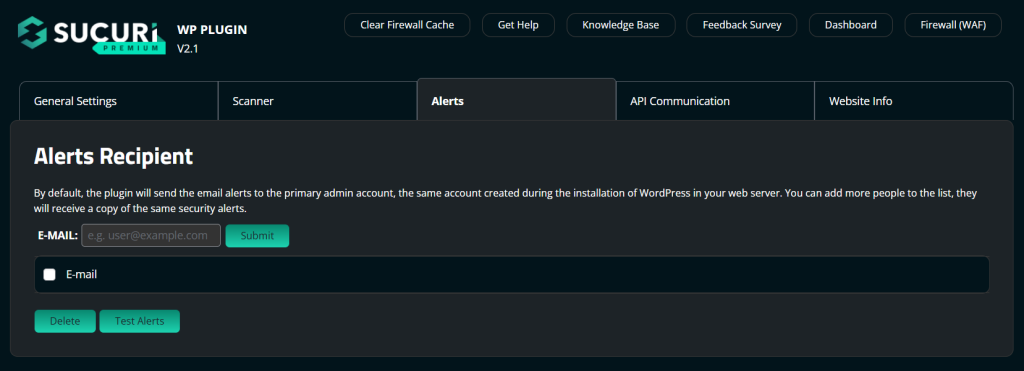
This feature has helped me track suspicious behavior—things like unexpected admin logins, file changes, and plugin installations. On one site, logs from Sucuri were the only reason I was able to pinpoint when a vulnerability was exploited and what method the attacker used.
Server-Level Monitoring
Sucuri’s server-side checks have alerted me to blacklisting, DNS changes, and integrity issues. This became especially useful when a client’s DNS was altered after their domain registrar was compromised. Sucuri caught it before any real damage occurred.
Incident Response and Cleanup
For clients who have been hacked, Sucuri’s cleanup service has been the most thorough I’ve seen. They don’t just remove malware; they harden the site and explain the root cause. I’ve had a site fully cleaned and secured within hours.
3.3 Pros Based on Experience
Cloud firewall blocks threats before they reach the site
Noticeable speed improvement due to CDN integration
Excellent for preventing repeated attacks
Reliable malware cleanup service
Comprehensive security logs and monitoring
Offloads work from your hosting server
3.4 Cons from Experience
The full value requires the paid firewall plan
Interface can feel more technical than Wordfence for beginners
Remote scans sometimes miss deeply embedded malware (though firewall protection compensates for this)
Premium plans are more expensive than typical WordPress plugins
3.5 Pricing
Free plugin: Offers auditing, integrity checks, and monitoring
Firewall plans: Generally start around $199.99 per year and increase based on performance and support level
While not cheap, clients who switched to Sucuri typically saved money in hosting, downtime, and recovery costs.
3.6 Best Use Cases from Real Projects
High-traffic sites that can’t afford downtime
Websites that have been attacked repeatedly
Businesses that need global CDN performance boosts
E-commerce sites requiring PCI compliance
Sites hosted on lower-end servers that need external protection
Plugin #3: iThemes Security (formerly Better WP Security)
4.1 Overview
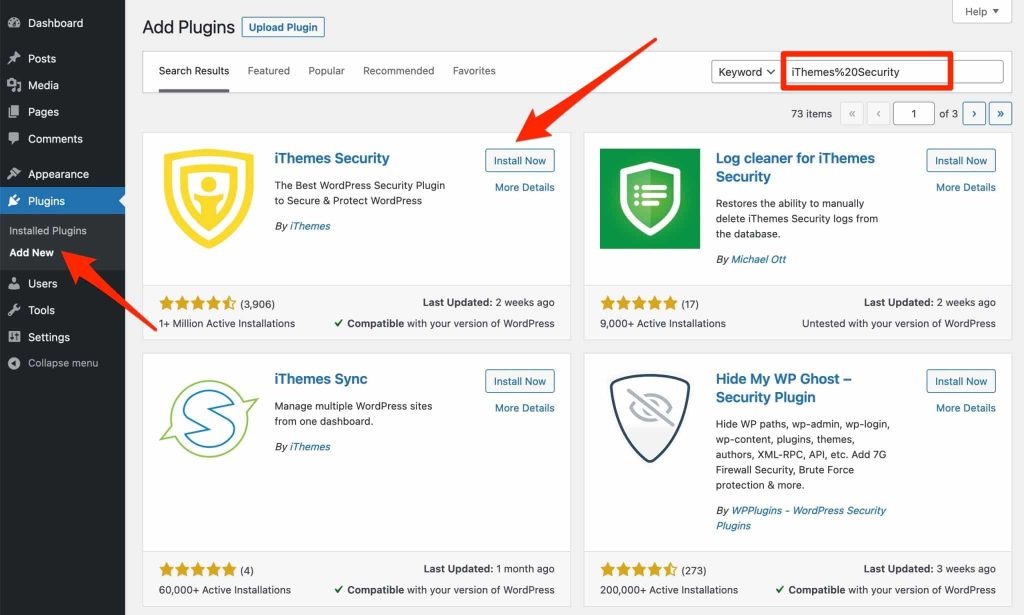
iThemes Security is a plugin I’ve used for clients who want a straightforward, checklist-style approach to securing their WordPress site. Unlike Wordfence or Sucuri, which focus heavily on scanning and firewall capabilities, iThemes excels at hardening WordPress itself. It guides you through practical steps that tighten your site’s defenses without overwhelming you with data or logs.
In my experience, iThemes works best for site owners who want to lock everything down quickly without spending hours configuring advanced security settings. It has also been one of the most reliable tools for preventing brute-force attacks on sites with multiple authors or contributors.
4.2 Key Features Based on Real Use
Brute Force Protection
iThemes has consistently blocked repeated login attempts on nearly every site where I’ve used it. It doesn’t just lock out bad actors; it also logs all failed attempts and lets you adjust thresholds. This helped me reduce attack noise on sites with vulnerable login pages.
File Change Detection
This feature has saved me more than once. Whenever a file changed unexpectedly—whether due to a plugin update, a bad theme, or malicious code injection—iThemes immediately sent me notifications. This early alert system allowed me to catch issues before they became serious.
Two-Factor Authentication
I’ve enabled 2FA on many client sites through iThemes. The setup is simple, and it significantly reduces the risk of compromised admin accounts, which is one of the most common attack vectors I see.
Security Check Feature
The one-click “Security Check” is something I routinely use when securing new WordPress installations. It quickly applies recommended settings, including strong password requirements, brute force settings, and file permissions. For beginners, this provides solid security without needing technical knowledge.
Database Backups
iThemes includes automated database backups, which have been useful in situations where clients weren’t using external backup solutions. While it’s not a replacement for full-site backups, it provides a valuable safety net.
4.3 Pros Based on Experience
Easy to use for beginners and non-technical site owners
Offers practical hardening options that many plugins overlook
File change detection is extremely helpful for early threat identification
Two-factor authentication works reliably
Lightweight compared to heavier security plugins
One-click security setup saves time
4.4 Cons from Experience
Lacks a built-in malware scanner or firewall
Some users may outgrow it as their site becomes more complex
Notifications can become excessive if not configured
Can conflict with poorly coded plugins that don’t handle permissions well
4.5 Pricing
Free version: Covers the essentials and is suitable for personal sites
Pro version: Starts around $99 per year and includes advanced hardening and reporting tools
In my experience, the free version is often enough for smaller sites, while larger or multi-user sites benefit from the Pro features.
4.6 Best Use Cases from Real Projects
Sites run by beginners or non-technical owners
Blogs and small business sites that need solid hardening
Multi-author sites needing strong login control
Sites where file change monitoring is important
Installations where performance and low overhead matter
Plugin #4: All-in-One WP Security & Firewall
5.1 Overview
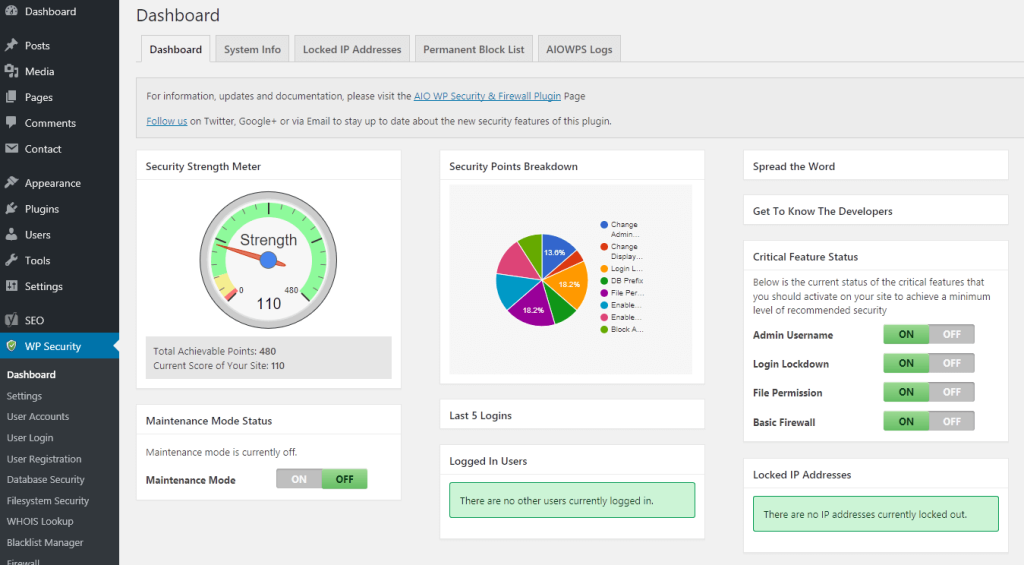
All-in-One WP Security & Firewall is a plugin I’ve used on sites where the goal is to apply strong, practical security measures without spending money on premium upgrades. What stands out most about this plugin is how it breaks down security tasks into clear, manageable sections. It’s one of the few free plugins that gives you both a firewall and a thorough set of hardening options without upselling every major feature.
When I’ve needed to secure a small business site or a client’s new blog quickly, this plugin has provided dependable protection with minimal overhead. It also presents security settings in a way that makes them understandable to non-technical users, which is something many plugins struggle with.
5.2 Key Features from Real Use
Login Lockdown and Brute Force Protection
On several sites that were getting hammered with repeated login attempts, enabling this feature immediately cut down the noise. I’ve found it reliable and easy to configure, even for clients who aren’t familiar with security settings.
Firewall Rules
The firewall isn’t on the same level as Sucuri or Wordfence, but for a free tool, it performs well. I typically enable the basic and intermediate firewall levels on most sites. The higher levels can cause issues on cheaper hosting, so I only enable those after testing.
File Permissions and Security Checks
This is one of the most practical tools in the plugin. I’ve used it many times to identify unnecessary write permissions on files and folders, which is a common oversight. Fixing those permissions has prevented several clients from getting reinfected after a cleanup.
Database and File Security
Features like renaming the login URL, changing the database prefix, and enabling file editing restrictions have been extremely helpful. I’ve used these methods to harden vulnerable sites without needing extra plugins or custom code.
User Account Monitoring
For sites with multiple users, the plugin monitors suspicious login activity and weak passwords. I’ve had clients unknowingly use extremely weak passwords, and this plugin flagged them immediately.
5.3 Pros Based on Experience
One of the best free security plugins available
Covers a wide range of security measures without requiring upgrades
Clear explanations that help beginners understand what each setting does
Lightweight and doesn’t noticeably slow down websites
Reliable login lockdown and user security features
Good for quick hardening on new or small sites
5.4 Cons from Experience
The firewall is basic compared to premium solutions
Some advanced settings can break features if not tested carefully
The interface can feel cluttered if you’re looking for something specific
No malware scanner included
5.5 Pricing
Free: Fully functional and suitable for most small to medium websites
Premium Add-ons: Optional, but not required for core security features
In my experience, the free version alone is strong enough for most small sites, especially those on shared hosting or without complex functionality.
5.6 Best Use Cases from Real Projects
New websites that need quick and complete hardening
Budget-conscious site owners who still want strong protection
Blogs and small business sites with standard functionality
Sites with multiple users who need basic login security monitoring
Websites where performance and simplicity matter
6. Plugin #5: MalCare Security
6.1 Overview
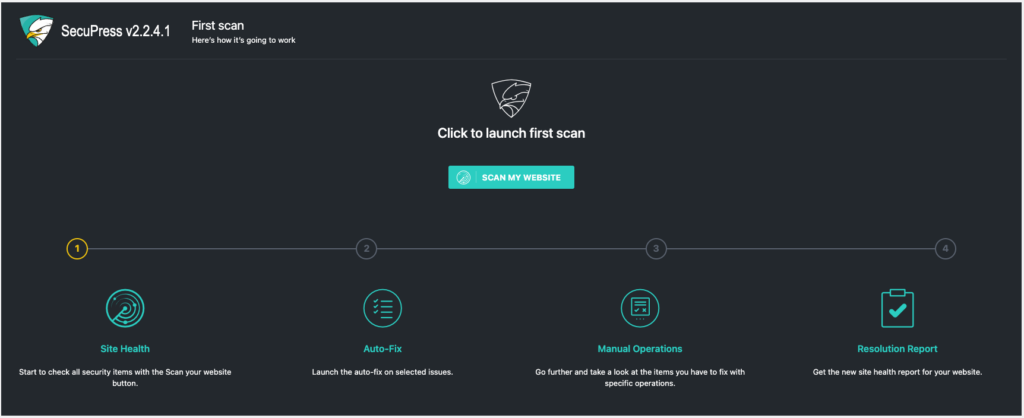
MalCare is a plugin I’ve turned to when dealing with hacked sites or situations where malware keeps coming back even after cleanup. What sets MalCare apart is that it handles all scanning on its own servers instead of loading your hosting environment. This has made a noticeable difference on slower or shared hosting plans where other scanners would time out or cause performance issues.
I originally started using MalCare years ago after working on a client site that had been reinfected multiple times. Other scanners kept missing parts of the malware, but MalCare caught everything on the first full scan. Since then, it has become one of my go-to tools when I need dependable automated scanning and quick cleanups.
6.2 Key Features from Real Use
Cloud-Based Malware Scanning
MalCare’s scans don’t slow down the site, and in every case where I’ve used it on infected sites, the scanner detected hidden and obfuscated code that other plugins overlooked. This has been particularly helpful on sites with custom themes or older plugins.
One-Click Malware Removal
This is one of MalCare’s biggest strengths. On several emergency jobs, I used MalCare’s automatic cleanup feature, and the site was restored within minutes. When dealing with stressed clients who need their site back online fast, this has been invaluable.
Intelligent Malware Detection
MalCare doesn’t rely solely on signature matching, which has allowed it to catch new or modified malware variants. I’ve noticed that it flags patterns and behaviors that aren’t immediately obvious, which is something many free tools simply cannot do.
Real-Time Firewall
The firewall isn’t as visible as Wordfence’s or as powerful as Sucuri’s cloud firewall, but it blocks a significant amount of malicious traffic. Over time, I’ve seen fewer brute-force attempts and fewer automated bot scans on sites using MalCare.
Login Protection and Activity Logs
These features have been helpful on membership and e-commerce sites, where suspicious login behavior can be a major risk. MalCare’s logs make it easier to see what happened without overwhelming you with unnecessary data.
6.3 Pros Based on Experience
Cloud-based scanning keeps hosting performance stable
Excellent at detecting hidden or hard-to-find malware
One-click cleanup works quickly and reliably
Less configuration required compared to other plugins
Good for owners who want a hands-off, automated approach
6.4 Cons from Experience
The most valuable features require a paid plan
Firewall is effective but not as advanced as Sucuri’s
Fewer monitoring and visibility tools compared to Wordfence
Interface is simple, but lacks depth for advanced troubleshooting
6.5 Pricing
Free version: Basic scanning and limited protection
Premium: Around $99 per year for full scanning and one-click malware removal
In urgent situations or on sites that have been hacked repeatedly, the premium version has paid for itself almost instantly.
6.6 Best Use Cases from Real Projects
Sites currently dealing with malware infections
Business sites that prioritize quick automated cleanup
Websites on shared hosting where scans often cause timeouts
Owners who prefer a simple, automated approach to security
Sites with recurring infections or deeply embedded malware
7. Comparison Table: Key Features at a Glance
7.1 Feature Comparison Table
| Feature / Plugin | Wordfence | Sucuri | iThemes Security | All-in-One WP Security | MalCare |
|---|---|---|---|---|---|
| Firewall Type | Strong application-level firewall | Cloud-based firewall (very strong) | No firewall | Basic rules-based firewall | Basic application-level firewall |
| Malware Scanning | Local scanning (detailed but resource heavy) | Remote scanning (good but sometimes misses deep code) | No built-in scanner | No scanner | Cloud scanning (very accurate, fast) |
| Cleanup Tools | Manual review required unless premium | Cleanup included with premium service | None | None | One-click automated cleanup |
| Performance Impact | Moderate to heavy on slow hosting | Offloaded to cloud, minimal impact | Very light | Very light | Light due to cloud scanning |
| Ease of Use | Medium—lots of data and settings | Medium—more technical | Very easy and beginner-friendly | Easy but with many options | Very easy, minimal setup |
| Best Strength | Full visibility and strong all-in-one protection | Enterprise-grade perimeter security | WordPress hardening and login protection | Free, comprehensive hardening | Fast cleanup and deep malware detection |
| Pricing Value | Free version strong; premium useful | Premium required for full protection | Free good; pro adds convenience | Free plugin is strong alone | Free limited; premium needed for real benefits |
| Best For | Sites needing detailed monitoring | High-traffic, mission-critical sites | Beginners, multi-author sites | Budget-conscious small sites | Hacked or repeatedly infected sites |
8. How to Choose the Right Security Plugin for Your Site
Choosing the right WordPress security plugin isn’t about finding the one with the longest feature list; it’s about selecting the plugin that fits your site’s structure, traffic level, budget, and your own comfort with technical details. Based on years of practical use across dozens of websites, here’s a clear breakdown to help guide the decision.
8.1 Choose Based on Website Size and Traffic
Small Websites or Personal Blogs
If your site is small, low-traffic, and hosted on shared servers, you don’t need an enterprise-grade solution. In many cases, All-in-One WP Security or iThemes Security will cover your needs without slowing your site down.
Medium to Large Websites
Sites with higher traffic, custom functionality, or e-commerce elements benefit from stronger tools. Wordfence or MalCare are better choices here, depending on whether you prioritize firewall performance or detection and cleanup.
High-Traffic or Business-Critical Sites
If uptime is crucial—membership sites, online stores, digital product websites—Sucuri is the best option. Its cloud firewall blocks attacks before they reach your hosting server, which is especially important during spikes or targeted attacks.
8.2 Choose Based on Technical Skill Level
Beginners or Non-Technical Users
If you prefer simple settings and guided steps, iThemes Security or All-in-One WP Security will be more comfortable. They offer straightforward explanations and don’t overwhelm you with logs or complex data.
Intermediate to Advanced Users
If you want granular control, security logs, real-time insights, or advanced firewall rules, Wordfence provides more tools and visibility than any other plugin on this list.
8.3 Consider Free vs. Premium Needs
When a Free Plugin Is Enough
For basic protection, login security, file permissions, and general hardening, the free versions of iThemes Security and All-in-One WP Security are surprisingly effective.
When Premium Is Worth Paying For
You should consider upgrading if:
Your site has been hacked before
You run an online store or membership site
You need real-time firewall updates
You want automated malware cleaning
In these situations, Wordfence Premium, Sucuri Firewall, or MalCare Premium can prevent significantly more problems than they cost.
8.4 Consider Your Hosting Environment
Shared Hosting
On slower or limited hosting, using scanners that run on your server can cause issues. In this situation, MalCare or Sucuri, which scan externally, are more reliable.
VPS or Dedicated Hosting
If your server has more resources, Wordfence becomes a strong option because its local scanning and logging won’t cause performance concerns.
8.5 Assess Your Risk Profile
For Sites Already Targeted or Previously Hacked
If your site has been compromised, you need a plugin that can both detect and clean thoroughly. MalCare is the most reliable for fast recovery, while Wordfence provides excellent post-cleanup monitoring.
For Sites Under Heavy Attack
If your login page is hammered daily or you’re seeing suspicious traffic spikes, Sucuri’s cloud firewall offers the best protection before the attack even touches your server.
8.6 Long-Term Maintenance Considerations
When choosing a plugin, consider how much ongoing attention you’re willing to give it.
Low-Maintenance Priority
If you want minimal ongoing involvement, MalCare or iThemes Security offer simple setups that run reliably in the background.
Hands-On Monitoring
If you prefer to track traffic, blocks, logs, and patterns, Wordfence gives you the most oversight.
8.7 Final Recommendation Framework
Here’s a quick way to decide:
Choose Wordfence if you want detailed insights and a powerful all-in-one security suite.
Choose Sucuri if you need the strongest firewall and the best uptime protection.
Choose iThemes Security if you want simple, effective hardening without complexity.
Choose All-in-One WP Security if you need solid protection for free.
Choose MalCare if malware cleanup and ultra-reliable scanning are your top priorities.
9. Additional Security Best Practices
Even the best security plugin can only do so much on its own. In my experience, the websites that stay secure long-term are the ones that combine a strong plugin with good maintenance habits. These practices close the gaps that plugins simply cannot reach and dramatically reduce the risk of future compromises.
9.1 Keep WordPress Core, Themes, and Plugins Updated
One of the most common reasons I’ve seen sites get hacked is outdated software. Attackers frequently exploit old vulnerabilities that have long since been patched. Keeping everything updated is one of the simplest and most effective ways to prevent intrusions.
I’ve taken over projects where updating a single outdated plugin would have prevented weeks of cleanup work. Never ignore update alerts, especially for plugins tied to security, e-commerce, or login systems.
9.2 Use Strong, Unique Passwords
Weak passwords remain one of the biggest security risks. I’ve seen situations where one compromised password gave an attacker access to an entire site. Use long, complex passwords and avoid reusing them across different accounts.
A password manager is one of the most valuable tools you can use for this purpose. It removes the burden of remembering everything and helps you avoid predictable patterns.
9.3 Enable Two-Factor Authentication
Whenever I add 2FA to a site, the number of unauthorized login attempts that succeed drops to zero. Even if your password is compromised, attackers won’t get past the second authentication step.
Plugins like Wordfence, iThemes Security, and several others on this list support easy 2FA setup. Consider enabling it for all admin and editor-level accounts.
9.4 Use Reliable and Secure Hosting
Your hosting provider plays a major role in your site’s security. I’ve witnessed clients get hacked simply because their hosting company had poor server-level protections.
Choose a host that offers:
Regular server updates
Firewalls
Malware scanning
DDoS protection
Isolated account environments
Better hosting won’t just make your site faster—it will make it harder to compromise.
9.5 Limit Login Attempts
Brute force attacks are incredibly common. I’ve logged sites receiving hundreds or even thousands of login attempts per day. Limiting login attempts or enabling lockdowns after repeated failures cuts this activity off quickly.
Plugins like Wordfence, iThemes Security, and All-in-One WP Security handle this well.
9.6 Disable File Editing in WordPress
WordPress lets administrators edit theme and plugin files directly from the dashboard, which attackers love. If they gain access, they can inject malicious code in seconds.
Disabling this feature has prevented multiple reinfections in my experience. Most security plugins include a switch for this, or you can disable it via your wp-config.php file.
9.7 Maintain Regular Backups
No matter how secure your site is, you should always have backups. I’ve restored many sites within minutes simply because the owner had a recent backup ready.
Backup best practices:
Use an external storage location (not your server)
Schedule backups daily or weekly
Keep multiple versions
Test your backups periodically
Good backups turn potential disasters into minor inconveniences.
9.8 Limit Plugin and Theme Usage
The more plugins you install, the larger your attack surface becomes. A surprising number of compromises come from abandoned or poorly coded plugins.
If you’re not using a plugin, delete it. If a theme hasn’t been updated in years, replace it. Less software means fewer vulnerabilities.
9.9 Secure Your Admin Area
Your admin area is a common target. I’ve improved security by taking simple steps such as:
Changing the login URL
Restricting access to the admin area by IP (when possible)
Using CAPTCHA on login forms
These measures significantly reduce automated attacks.
9.10 Monitor Site Activity Regularly
Most compromised sites show signs long before the owner realizes it. By reviewing logs or alerts periodically, you can catch issues early.
Even five minutes a week can save hours of cleanup work later.
10. Conclusion
After working with these security plugins on real client sites, personal projects, and emergency cleanup jobs, one thing has become very clear: WordPress security isn’t about finding a single perfect plugin. It’s about choosing the tool that aligns with your site’s needs and then supporting it with consistent maintenance.
Each plugin in this list shines in a different situation. Wordfence offers in-depth monitoring and one of the strongest all-around protection suites available. Sucuri delivers unmatched perimeter security and stability, especially for business-critical or high-traffic sites. iThemes Security is a straightforward hardening tool that’s easy for beginners to use effectively. All-in-One WP Security offers solid, practical protection without costing anything, which makes it ideal for smaller sites. MalCare stands out for its speed and accuracy in detecting and cleaning malware, especially on infected or vulnerable websites.
The most secure sites I manage all have one thing in common: they combine the right security plugin with responsible habits. Updating software, using strong credentials, maintaining backups, and checking basic logs regularly make a bigger difference than most people realize.
If you choose a plugin that suits your site, follow basic security practices, and stay proactive, you’ll be in a far better position to prevent attacks and handle problems before they escalate. This layered approach is ultimately what keeps WordPress sites secure over the long term.